A 360-degree camera can make parking easier by showing more of the space immediately around your car. The extra front and side views are useful when judging a kerb, lining up between parking bays or manoeuvring past a garage pillar. It is worth considering if those situations regularly make you stop and check your clearance.
The benefit depends on the system and how well it is fitted. A surround-view parking camera does not remove every blind spot, guarantee that you will avoid a scrape or automatically record incidents while the car is parked. Start with the problem you want to solve before choosing the equipment.
What a surround-view camera actually shows
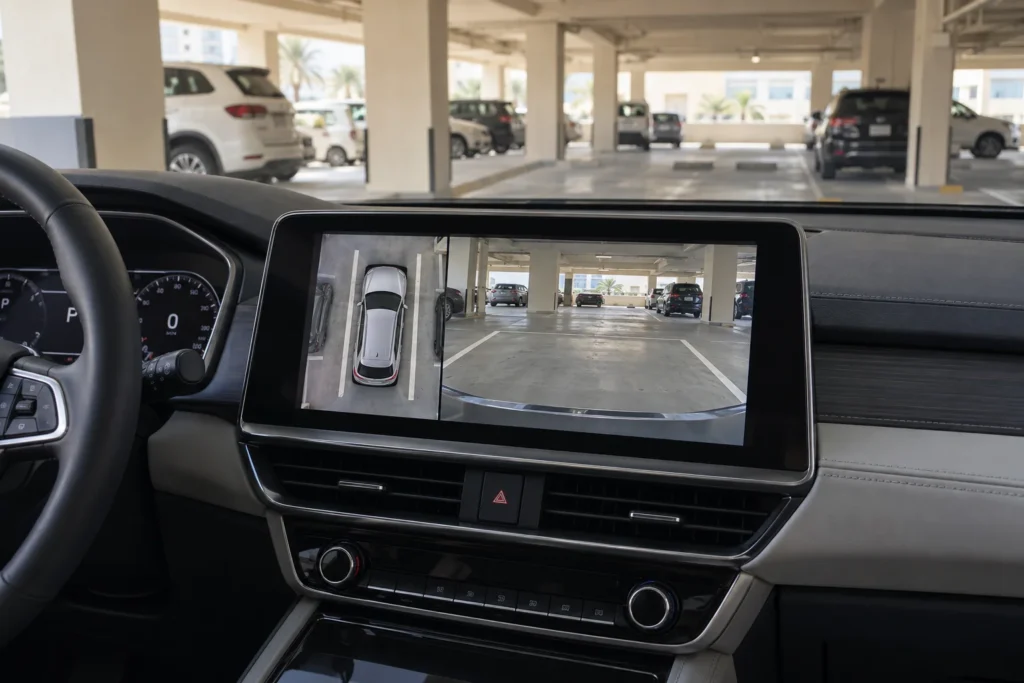
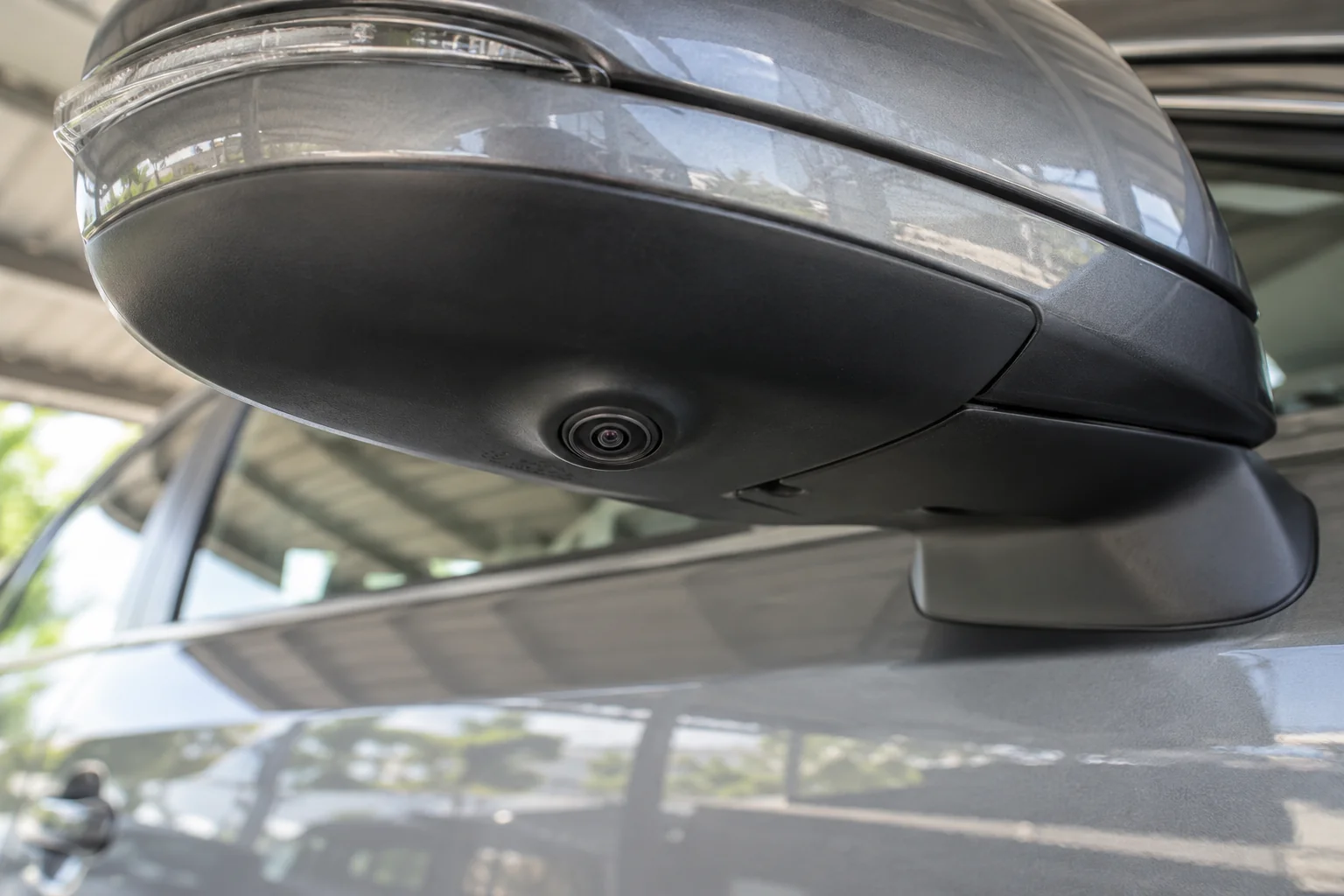
A typical surround-view system combines images from cameras at the front, rear and both sides of the vehicle. Side cameras are often beneath the exterior mirrors. Processing software joins the views to produce a virtual overhead image on the dashboard screen.
The car shown in the middle is a representation of your vehicle. There is no camera floating above the roof. The surrounding image comes from lenses mounted much closer to the ground, so the overhead view has limitations.
Depending on the equipment, you may see the overhead image beside a front, rear or side view. The individual view can help you examine the area you are approaching, while the overhead image helps you judge your position within the space.
For example, Nissan’s Around View Monitor explanation describes four exterior cameras, a composite overhead view and selectable close-up views. Features on your own car depend on its model, specification and fitted system.
A “3D” display adds selectable perspectives around a vehicle model. It does not establish that the camera sees through the bodywork or detects every hazard. Judge how clearly the useful views work on your car rather than choosing solely from an impressive animation.
Where the extra views make parking easier
The strongest reason to install a 360-degree car camera is practical visibility during low-speed manoeuvres. Think about your usual parking space rather than a general promise of safer driving.
- Kerbside parking. A suitable side view can help you judge the gap beside the wheels and body. Leave a sensible margin rather than treating a screen line as exact clearance.
- Narrow parking bays. Seeing both sides can help you centre the car instead of discovering that one side is too close after you stop.
- Garage pillars and walls. A front or side view can help you check an area that is difficult to judge from the driving seat. Stop if you are unsure about the clearance.
- Larger or unfamiliar vehicles. Extra viewpoints can help when you are learning the dimensions of an SUV or another car you do not normally drive.
In Dubai, a daily basement parking bay may make these features more useful than they would be for a driver who mostly uses open spaces. Try a demonstration in a setting similar to yours. A large, bright showroom does not reproduce a dim garage with pillars.
When a simpler reversing camera is enough
If your only difficulty is judging the space directly behind the car, a correctly fitted reversing camera may meet the need. Four exterior cameras add mounting, wiring and setup work. Choose the extra coverage when you will use it.
If the car already has working cameras and parking sensors, learn the available views first. A forgotten camera button or an unfamiliar side-view setting may be more useful than replacing a system that already suits your routine.
How surround view differs from a dashcam
A surround-view monitor mainly helps you see around the vehicle while manoeuvring. A dashcam mainly records footage for later viewing. Products may combine functions, but the phrase “360-degree camera” alone does not tell you which job a device performs.
| Equipment | Main purpose | What to check |
|---|---|---|
| Reversing camera | Live view behind the vehicle | Rear coverage, display and activation |
| Surround-view system | Combined exterior views for parking | Front and side coverage, integration and calibration |
| Recording dashcam | Save footage for later review | Recording channels, storage and supported power |
| Rotating or panoramic cabin camera | Record from its mounting location | Actual coverage through the windows and obstructions |
| Parking sensors | Provide proximity information or warnings | Detection limitations and separate camera functions |
A rotating dashcam behind the windscreen does not automatically produce the same overhead parking image as exterior cameras. Pillars, seats and bodywork also affect what an internally mounted device can see.
If recording is important, ask separately whether the exact system saves video, from which cameras and under what conditions. Parked recording needs supported equipment and a suitable power arrangement. Battery protection can limit discharge, but it does not create unlimited recording time or guarantee that the car will always start.
Likewise, a camera display does not prove that automatic braking, moving-object detection or lane-change assistance is included. Those are separate, system-specific features.
Check compatibility before buying an aftermarket kit
Adding surround view can be possible on a car without it, including some older vehicles. Confirm the exact vehicle and kit before buying. A general “universal fit” description leaves several practical questions unanswered.
- The dashboard display. Establish whether the existing screen can accept the camera system, whether a compatible interface is needed or whether a separate display is proposed.
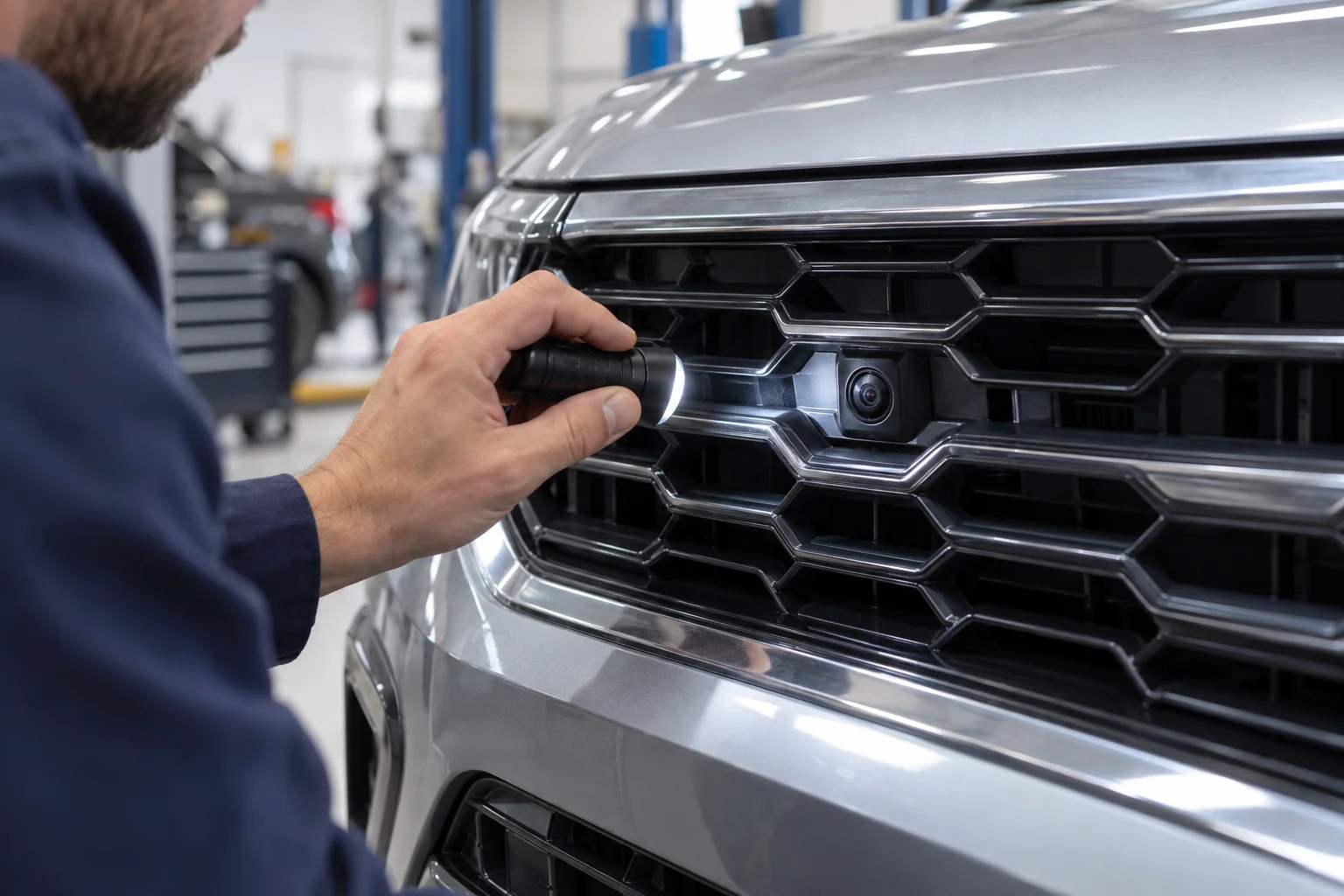
- The camera locations. Agree where each camera will sit and whether suitable housings or brackets are available for your mirrors, grille and rear trim.
- The supplied components. Identify the cameras, control unit, cables, connectors, interface and any display included in the quoted kit.
- View activation. Ask how you select the views and what happens when reverse is selected. Do not assume every kit supports steering-linked guidelines or turn-signal switching.
- Existing equipment. Confirm how the work affects the current reversing camera, parking sensors, steering-wheel controls and other functions you want to retain.
Give the installer your make, model, year and trim, plus photos of the screen and mirrors. Cars with the same model name can have different displays and equipment across model years or markets. An imported car deserves an exact specification check.
Ask whether fitting requires drilling, replacement mirror trim or coding. Agree those changes before work starts, along with any relevant vehicle warranty or lease conditions. Adding original-looking parts does not, by itself, turn an aftermarket installation into a factory system.
Loose wiring, intermittent operation or a battery that goes flat after an accessory installation needs investigation. An electrical fault assessment can check the supply and affected circuit before you pay for another camera.
Why camera positioning and calibration matter
A camera that powers on has passed only an initial check. The fitted system also needs the camera positions and surrounding views set up correctly for the vehicle.
Calibration requirements vary. Some systems use specified targets and vehicle measurements. Manufacturer procedures determine the equipment and setup, so a calibration method for one brand should not be treated as suitable for every kit.
The Kenwood installation and calibration manual is one example of instructions that separate camera mounting from calibration and checking the resulting image. Use the documentation for the system actually being fitted.
At handover, ask the installer to show how the individual views and combined image have been checked. Look at an ordinary parking line as it passes from one camera area to the next. A major unexplained mismatch deserves attention before you rely on the image.
A damaged mirror housing or changed camera mounting position can alter the view. After relevant body or mirror work, ask what checks or calibration the vehicle manufacturer requires. Surround-view calibration and setup for other driver-assistance equipment are distinct jobs with their own requirements.
Understand the blind spots and image limitations
Surround view remains a driving aid. Continue checking mirrors and looking around the car, and move slowly enough to stop. If a person or obstacle disappears from the screen, that does not prove the area is clear.
Joined camera views have boundaries. Objects can be difficult to see at those joins or close to the vehicle. The apparent distance on a wide-angle image can also differ from the actual distance. Avoid judging a very small gap from the overhead image alone.
Lighting matters. Darkness, glare and different exposure between cameras can reduce detail. A seller’s “night vision” label is not a promise of clear images in every unlit space. Check the manual and a real demonstration.
Follow the vehicle’s instructions about mirror and tailgate position when using the cameras. On systems with cameras in those parts, moving the part changes where the camera points. Also check how and when your system switches views or stops displaying them. There is no universal activation speed for all vehicles.
These limitations do not remove the convenience of extra views. They tell you how to use the feature sensibly. For close clearance, combine the appropriate camera angle with direct observation and stop to check when necessary.
What affects the complete fitted camera cost
Compare the price of a working installation on your actual car. A box containing cameras is a different purchase from a supplied, fitted and calibrated system connected to the dashboard display.
There is no single fitting price that covers every mirror housing, screen interface and kit. Ask for a written quote with the system identified rather than comparing an old online camera price with a complete workshop installation.
| Quote item | What should be clear |
|---|---|
| Hardware | Exact camera kit, control unit and included cables |
| Display connection | Existing screen support, required interface or separate monitor |
| Fitting | Mounting parts, trim access, cable routing and agreed modifications |
| Setup and checks | Required calibration, view activation and functional testing |
| Total and support | VAT-inclusive total, exclusions, warranty terms and future support |
If you supply the kit yourself, confirm support before ordering it. The installer may need its manual and component details to assess the work. Also establish who handles a defective supplied part and whether replacement labour is covered.
Discuss whether the screen and functions can be restored if the kit is removed later. This matters when you plan to sell the car, return a leased vehicle or change the dashboard equipment.
Test the installed views before accepting the work
Ask for a demonstration on your car before collection. Use an open area with enough space, and do not place a person behind or beside a moving vehicle to test coverage.
- Confirm that every fitted camera produces an image and that each available view can be selected.
- Check that the intended view appears when reverse is selected and that the screen returns to its normal function as intended.
- Inspect the combined view for obvious gaps, misplaced vehicle boundaries or unexplained alignment problems.
- Check image visibility in the lighting you normally use, including your usual covered parking conditions where practical.
- Confirm that mirror movement, folding, windows and tailgate operation remain normal after the relevant fitting work.
- Ask for a demonstration of retained factory controls and parking functions.
- Collect the equipment details, care instructions and applicable warranty terms.
If recording was part of the agreed purchase, ask to open a saved file. A live picture does not prove that video is being stored. Keep that test separate from confirming the parking display.
Report missing or frozen views and unfamiliar warnings while safely parked. Do not repeatedly manoeuvre closer to an obstacle to establish whether an unreliable camera is working.
Keep the lenses clear in Dubai conditions
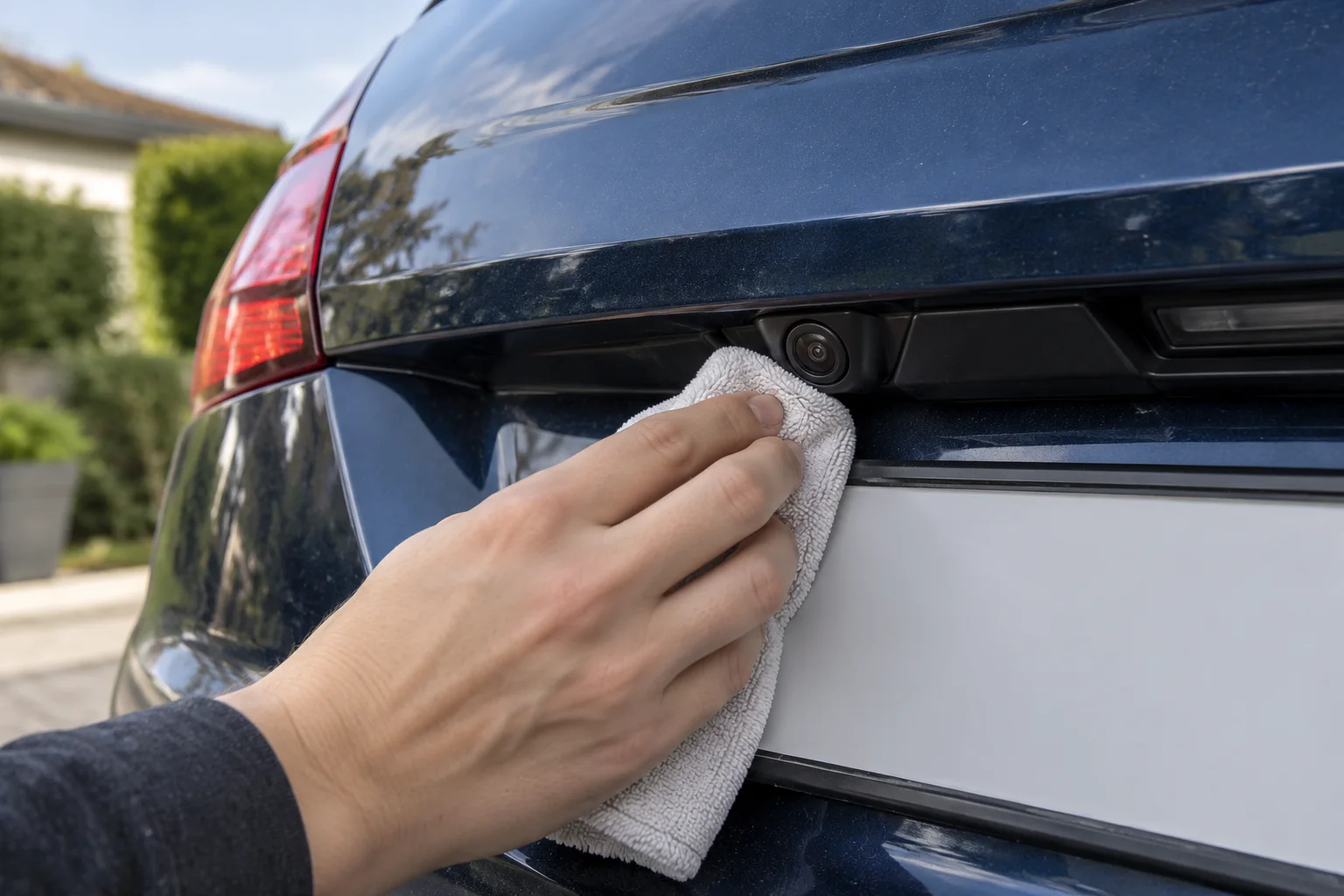
Dust and water marks can make a useful view harder to read. Check the exterior lenses when an image becomes blurred, especially after dusty weather or washing. A dirty lens may need cleaning before any replacement is considered.
Follow the vehicle or camera manufacturer’s cleaning instructions. Use a suitable soft cloth, remove grit carefully and avoid abrasive products. Do not apply wax or harsh solvents to the lens. Avoid directing a pressure-washer jet at the camera or its seals.
Check for persistent moisture, physical damage or a loose mounting if the picture remains poor after appropriate cleaning. Distinguish a blurred image from a completely missing image when describing the fault.
For an aftermarket kit, verify its specified operating temperature and exterior-camera protection rating. “Suitable for Dubai” is less useful than documented limits for the exact equipment. A waterproof claim also does not excuse damaged connectors or incorrect installation.
Decide whether the upgrade suits your routine
A 360-degree camera is worth considering when you regularly need front and side visibility, your car can accept a suitable system and you can obtain a properly defined installation. A demonstration matters more than a long list of advertised features.
It may be a lower priority if your present reversing camera and sensors already meet your needs, or if a retrofit requires changes you do not want. A simpler improvement may meet your present need.
Base the purchase on the convenience you will use. Neither accident prevention nor a higher resale price is guaranteed. The useful question is whether the extra views make your everyday parking easier at a fitted cost and level of modification you accept.
Answers to common surround-view camera questions
Can I add a 360-degree camera to an older car?
It can be possible, but the exact vehicle and kit need checking. The display connection, camera mounting positions, wiring and setup requirements determine the work. Share the model, year, trim and screen details before buying a kit.
Does a surround-view camera record while parked?
Do not assume it does. Check whether the exact system includes recording, supported storage and a suitable parked power supply. Many parking displays are intended for live viewing. A rotating recording dashcam is a different type of device.
Will it work with my factory screen?
That depends on the screen and camera equipment. A compatible interface may be needed, or a separate monitor may be proposed. Confirm the exact arrangement and retained controls in the quotation rather than relying on a universal-fit claim.
Does a 360-degree camera replace parking sensors?
A camera gives a visual view and sensors provide proximity information where fitted. Their functions and limitations differ. Confirm whether the proposed system retains the existing sensors and what warnings are included. Continue using normal observation and safe parking methods.
Do all surround-view systems work well at night?
No universal night-time performance claim applies. Low light, glare and dirty lenses can limit visibility, and some manuals restrict use in poor lighting. Check the exact system’s guidance and a demonstration in conditions similar to your parking space.
Why does one part of the image look wrong?
Check for dirt, an obstructed lens or a mirror or tailgate in the wrong position for camera use. Persistent distortion, a changed camera mount or a missing view needs assessment. Ask for the system-specific checks before accepting a recommendation to replace the entire kit.
Discuss a camera upgrade for your car
Share your model, year, dashboard screen and the kit you are considering with our Al Quoz team. We can discuss your request and confirm whether the proposed work is supported before you book.